

-
-
Black Friday Sale: Vacation Rental Script Under $499
A ready-made vacation rental script can help reduce initial development efforts and provide the foundation for launching your own marketplace. With essential booking features, property management functionality, and customization options, you can create a platform that supports your business goals.
This Black Friday, take advantage of the exclusive rental script offer under $499 and explore a more affordable way to enter the vacation rental industry.
Ready to launch your own rental marketplace?
Explore Makent by Trioangle: https://www.trioangle.com/airbnb-clone/
Contact Us: +91 6379630152 | sales@trioangle.com
#AirbnbClone #AirbnbCloneScript #VacationRentalScript #VacationRentalManagementSoftware #BlackFriday #StartupIdeas #PropertyManagement #Business #Ai2027 205 Views
 -
-
-
-
-
-
WordPress 7.1.4 Security Release: 22 Vulnerabilities Fixed, Including a Critical Update-Process Weakness
WordPress has announced version 7.1.4, a security release designed to address 22 vulnerabilities across the platform. Among the fixes is a potentially serious weakness in the WordPress update process, alongside multiple stored cross-site scripting (XSS) vulnerabilities affecting core functionality.
The release highlights an important reality for website owners and developers: even the software powering millions of websites requires continuous security improvements to stay ahead of emerging threats.
The fixes span several areas of WordPress, including its upgrade mechanism, interactive features, block editor functionality, and administrative interfaces. Here are the three key security areas worth understanding.
1. A Security Flaw in the WordPress Update Process
One of the most concerning issues involves a race condition in the WordPress update process that could potentially enable remote code execution during an upgrade window.
Remote code execution vulnerabilities are particularly dangerous because, under the right conditions, they can allow an attacker to execute malicious code on a server. Depending on the environment and the attacker's privileges, the consequences could include website compromise, unauthorized file modifications, or even a complete site takeover.
However, the official announcement does not provide enough technical detail to establish the precise exploitation requirements or the likelihood of successful attacks. Website administrators should therefore avoid assuming either that every installation is exploitable or that the issue poses no practical risk.
What website owners should do: Apply the appropriate security update promptly, maintain reliable backups, and investigate any unusual activity around recent WordPress upgrades.
2. Stored XSS Vulnerabilities Across Core Features
Another major area addressed by this release involves multiple stored cross-site scripting (XSS) vulnerabilities affecting WordPress functionality.
These issues touch several components, including the Interactivity API, blocks, the Customizer, and administrative interfaces. Some of the reported vulnerabilities may also expose information that should not be accessible to unauthorized users.
Stored XSS attacks are especially concerning because malicious scripts can be saved in website content or other application data and executed later when another user views the affected page or interface.
The actual risk depends on the vulnerable component, the required user permissions, and how the affected functionality is used. Several issues reportedly require Contributor-level access or higher, which can limit exposure on sites with tightly controlled user permissions. However, permission requirements vary between vulnerabilities, so administrators should not assume that every issue has the same attack conditions.
What website owners should do: Update WordPress, review user roles and permissions, and investigate unexpected content changes or suspicious administrative activity.
3. Why WordPress Security Updates Matter
Security releases are not simply routine maintenance. They are an essential part of protecting websites against vulnerabilities that may affect content management, user interactions, administrative workflows, and server-side operations.
For businesses, publishers, online stores, and developers managing multiple WordPress installations, delaying security updates can leave known weaknesses unpatched for longer than necessary.
A practical security checklist includes:
Update promptly: Install the appropriate WordPress security release after confirming compatibility and maintaining a backup.
Audit user accounts: Remove unfamiliar accounts and restrict unnecessary administrative privileges.
Inspect plugins and themes: Keep extensions updated and remove software that is no longer maintained or required.
Monitor website activity: Investigate unexpected file changes, unfamiliar administrator accounts, and unusual login attempts.
Maintain recovery options: Keep recent, tested backups stored separately from the production website.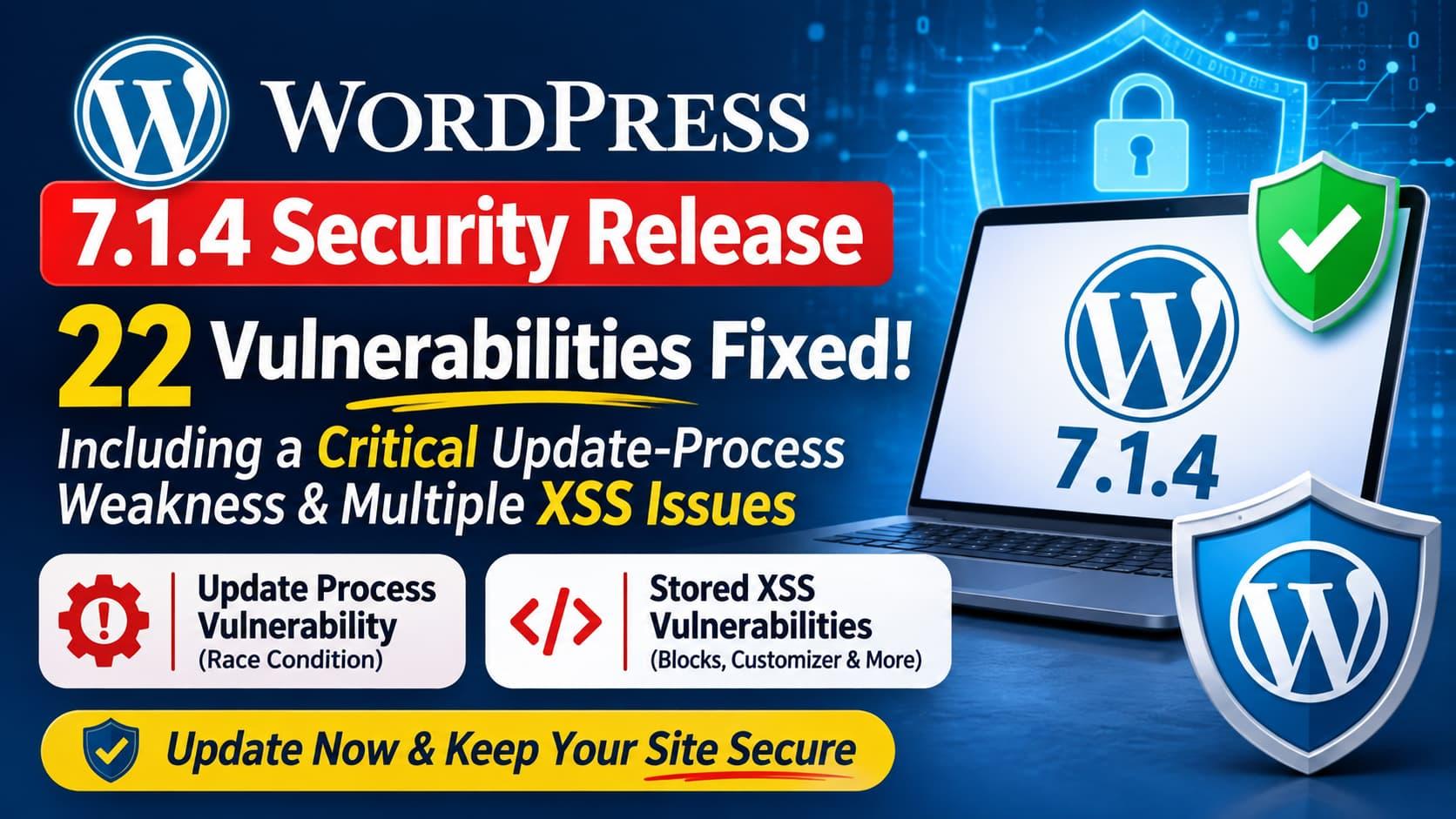 2K Views
 -
Technology & Innovation
Stay connected with new technologies, digital transformation, emerging innovations, gadgets, and the ideas changing how we live and work.
Science & Research
Explore scientific discoveries, engineering breakthroughs, research, experiments, and developments that expand our understanding of the world. 1
1 1.9K Views
 -
# Abhira — Where Technology Meets Ideas
**Discover technology. Share knowledge. Connect with people.**
Abhira is a growing digital community for people passionate about technology, engineering, software development, artificial intelligence, innovation, and the ideas shaping our future.
Explore interesting discussions, share your experiences, learn from others, and become part of a community that believes knowledge grows when people share it.
**Learn something new. Share something valuable. Make meaningful connections.**
## Explore What's Happening
### Engineering & Development
Explore software engineering, programming, web development, WordPress, PHP, React, APIs, databases, and modern development practices.
### AI & Automation
Discover artificial intelligence, machine learning, intelligent automation, AI-powered tools, and practical applications of emerging technologies.
### Technology & Innovation
Stay connected with new technologies, digital transformation, emerging innovations, gadgets, and the ideas changing how we live and work.
### Science & Research
Explore scientific discoveries, engineering breakthroughs, research, experiments, and developments that expand our understanding of the world.
### Business & Entrepreneurship
Discover startups, business ideas, entrepreneurship, digital products, technology businesses, and lessons from people building something new.
### Community & Discussions
Ask questions, exchange opinions, share experiences, participate in discussions, and connect with people who share your interests.
## More Than Just Reading
The internet already has plenty of articles and information. What makes a community valuable is the people behind it.
At Abhira, you can:
- Share your knowledge and experiences.
- Publish technical articles and useful resources.
- Ask questions and get community perspectives.
- Discuss new ideas and emerging technologies.
- Discover interesting projects and innovations.
- Connect with people from different industries.
## Built Around Knowledge Sharing
We believe technology should bring people together, not create barriers.
Whether you are a student, developer, engineer, entrepreneur, researcher, or technology enthusiast, there is a place for your ideas here.
**Your knowledge matters. Your ideas matter. Your contribution makes the community stronger.**
## Join the Abhira Community
Be part of a community that explores ideas, shares knowledge, and grows together.
**Abhira — Discover. Discuss. Share. Connect.** 1
1.9K Views
1
1.9K Views -
-






More Stories
