


Types of Websites Can You Build with WordPress? (Complete Architecture Breakdown)
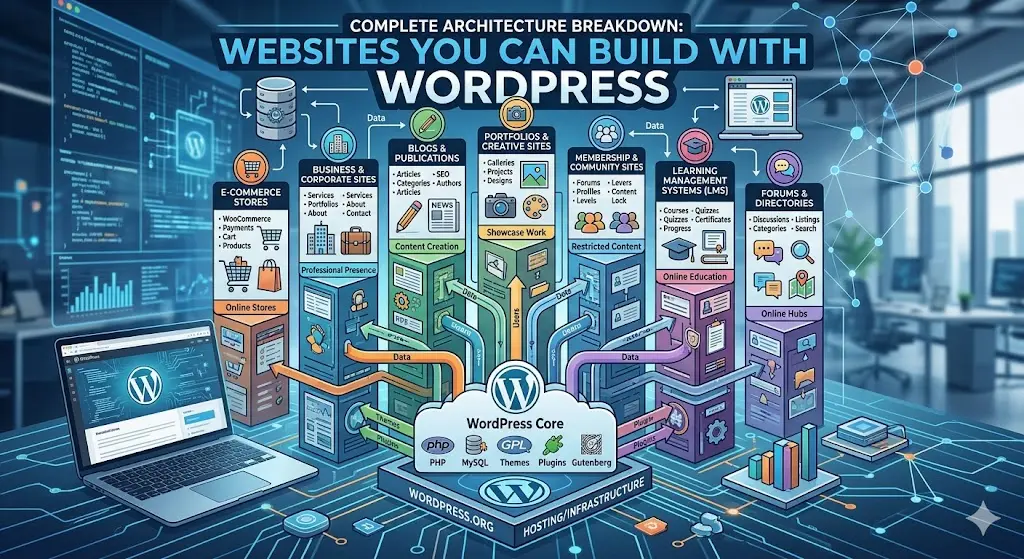
A deep technical guide to traditional, headless, hybrid, and modern WordPress architectures.
WordPress started as a simple blogging platform. Today, it powers everything from personal blogs to enterprise-level SaaS platforms.
But here’s the truth most developers miss:
WordPress is no longer just one way of building websites — it’s an ecosystem of multiple architectures.
If you understand these architectures deeply, you can build faster, scale better, and create products—not just websites.
1. Traditional WordPress (Monolithic Architecture)
This is the classic way WordPress has always been used.
- Frontend + Backend tightly coupled
- PHP renders HTML
- Themes control UI
- Plugins extend functionality
Best For:
- Blogs
- Business websites
- Small eCommerce stores
Limitations:
- Performance bottlenecks
- Limited frontend flexibility
- Hard to scale for modern apps
Reality: Good for beginners. Not enough for modern product-level systems.
2. Headless WordPress (Decoupled Architecture)
This is where things get serious.
WordPress is used only as a backend (CMS), while the frontend is built using modern frameworks.
- Frontend: React / Next.js
- Backend: WordPress (REST API / GraphQL)
- Completely decoupled
How it works:
- WordPress stores content
- API sends data
- Frontend renders UI independently
Best For:
- SaaS platforms
- High-performance blogs
- Apps with dynamic UI
Advantages:
- Blazing fast performance
- Full frontend control
- Better scalability
Challenges:
- More complex setup
- SEO needs proper handling
- Authentication & preview handling
Reality: This is how modern serious platforms are built.
3. Hybrid WordPress (Best of Both Worlds)
Hybrid architecture combines traditional WordPress with modern frontend enhancements.
- Core site: WordPress (PHP)
- Interactivity: Alpine.js / minimal JS
- Styling: Tailwind CSS
What makes it powerful:
- Keep WordPress simplicity
- Add modern UI/UX
- No full rewrite needed
Best For:
- Agencies
- Client projects
- Fast-loading marketing sites
Advantages:
- Easy to maintain
- Better UI without heavy frameworks
- Lower cost than headless
Reality: This is the most practical approach for real-world projects.
4. WordPress as Backend for Mobile & Apps
WordPress can act purely as a content API for mobile apps.
- Backend: WordPress API
- Frontend: React Native / Flutter
Use Cases:
- News apps
- Content platforms
- Learning apps
This approach turns WordPress into a full content engine powering multiple platforms.
5. WordPress + Static Site Generation
Here, WordPress is used as a CMS, but the frontend is generated as static files.
- Content fetched at build time
- Pages generated as static HTML
- Served via CDN
Benefits:
- Extreme speed
- High security
- Low server cost
Limitations:
- Rebuild required for updates
- Dynamic features are harder
6. WordPress Multisite (Network Architecture)
WordPress Multisite allows you to run multiple websites from a single installation.
- Centralized management
- Shared plugins/themes
- Separate sites under one network
Best For:
- SaaS platforms
- School/college networks
- Multi-brand businesses
7. WordPress as a SaaS Platform
This is where advanced builders take things to the next level.
WordPress becomes the core engine of a product, not just a site.
- User subscriptions
- Custom dashboards
- API integrations
- Scalable architecture
With proper engineering, WordPress can power platforms similar to creator marketplaces, membership systems, or digital product ecosystems.
Reality: This is where platforms like yours (Abhira) can dominate.
Final Comparison
| Type | Complexity | Performance | Best Use |
|---|---|---|---|
| Traditional | Low | Medium | Basic sites |
| Headless | High | High | Apps & SaaS |
| Hybrid | Medium | High | Modern websites |
| Static | Medium | Very High | SEO & blogs |
WordPress is not limited.
If you stick to traditional setups, you’ll always stay average.
But if you understand architectures—headless, hybrid, API-driven—you can turn WordPress into:
- A high-performance frontend system
- A scalable backend engine
- A complete product platform
 Russian
 English
 Arabic
 French
 Spanish
 Portuguese
 Deutsch
 Turkish
 Dutch
Dutch
 Italiano
 Romaian
 Portuguese (Brazil)
 Greek
Greek
