


WordPress Security Checklist
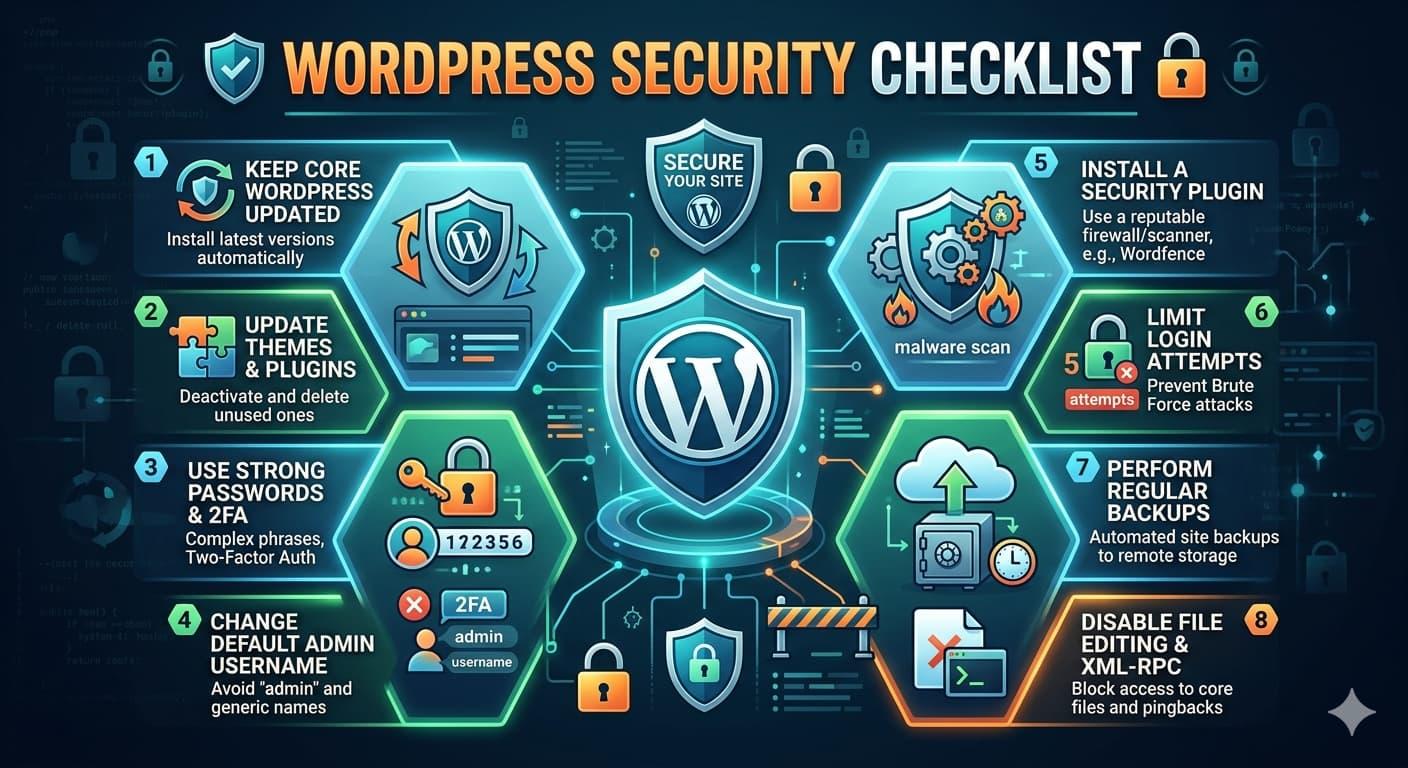
WordPress Security in 2026: Why “Set It and Forget It” Is Getting Sites Hacked
If you run a WordPress website, there’s one uncomfortable reality you need to accept:
Your site is under attack constantly.
In Q4 2025 alone, WordPress security systems blocked 13.8 billion brute-force login attempts across websites worldwide.
But here’s the real problem:
Where Most WordPress Hacks Come From
- 52% — Plugin vulnerabilities
- 37% — Theme flaws
- 11% — Everything else
Nearly 9 out of 10 successful WordPress hacks happen because of plugins and themes — not WordPress core itself.
The Plugin Supply Chain Problem
One of the biggest security risks today is the plugin supply chain.
You install a trusted plugin with thousands of active users. Then one day:
- Developer account gets compromised
- Malicious code gets injected
- Fake updates are pushed
- Backdoors silently infect websites
The worst part? Many site owners don’t even notice for weeks.
Delete Unused Plugins Immediately
Keeping old plugins “just in case” is one of the most common WordPress security mistakes.
If you’re not using a plugin, delete it.
Deactivated plugins can still expose vulnerabilities and become attack vectors.
The Simplest Security Improvement
Here’s a 30-second change that blocks a massive number of automated attacks:
Stop using the username “admin”
Most brute-force bots automatically target default usernames like:
- admin
- administrator
- root
If those usernames don’t exist, many attacks fail instantly.
Why 2FA Is Essential
Passwords alone are no longer enough.
- Stolen passwords become useless
- Brute-force attacks fail
- Phishing becomes far less effective
Every administrator account should use two-factor authentication.
Your Backups Might Be Useless
Most backups fail because they are:
- Outdated
- Corrupted
- Stored on the same hacked server
- Never tested
A proper backup strategy includes:
- Daily backups
- Offsite storage
- Monthly restore testing
- Multiple recovery points
Why You Need a WAF
A Web Application Firewall (WAF) acts like security screening before traffic reaches your site.
A WAF can automatically block:
- SQL injection attacks
- Brute-force login attempts
- Malicious bots
- Cross-site scripting (XSS)
- Known exploit signatures
Popular WAF providers include Wordfence, Cloudflare, Sucuri, and AWS WAF.
File Permissions Matter
Incorrect file permissions are one of the easiest ways attackers escalate access.
chmod 644 /path/to/wordpress/*.php
Safe defaults like 755 and 644 dramatically reduce risk.
Shared Hosting Can Become a Security Risk
Cheap shared hosting environments often place hundreds of websites on the same server.
One compromised account can sometimes expose neighboring sites depending on server isolation.
If your website matters to your business, quality hosting is a security investment — not a luxury.
Security Is a Process, Not a Plugin
There is no magic security plugin that makes your site invincible.
Real security comes from operational discipline:
- Update plugins regularly
- Audit themes and extensions
- Monitor login activity
- Test backups monthly
- Use 2FA everywhere
- Create an incident response plan
Final Thoughts
WordPress itself is not the problem.
Neglect is.
Most compromises happen because:
- Plugins go unpatched
- Backups go untested
- Logs go unread
- Security gets postponed
Security is not a one-time setup.
It’s an ongoing responsibility.
 Dutch
Dutch
 English
 Arabic
 French
 Spanish
 Portuguese
 Deutsch
 Turkish
 Italiano
 Russian
 Romaian
 Portuguese (Brazil)
 Greek
Greek
